
What Is DevOps and What Does It Do? A Complete Beginner’s Guide [2026]
Introduction
Technology is evolving rapidly. Businesses regularly launch websites, mobile applications, cloud services, software updates and digital platforms. Customers expect these services to load quickly, remain available and work smoothly across different devices.
But have you ever wondered how organisations release new features frequently without repeatedly breaking their applications? How do development teams test code, deploy applications and resolve technical problems before they seriously affect users?
This is where DevOps plays an important role.
DevOps brings software development and IT operations together. It improves collaboration, automates repetitive processes and creates a continuous workflow for planning, developing, testing, deploying, monitoring and improving applications.
Microsoft defines DevOps as the combination of development and operations that brings together people, processes and technology across application planning, development, delivery and operations. AWS similarly describes DevOps as a combination of culture, practices and tools that helps organisations deliver applications and services more efficiently.
DevOps is not a single tool, programming language or job role. It is a complete working approach supported by automation, continuous testing, cloud infrastructure, monitoring, communication and feedback.
For students, freshers and professionals, learning DevOps can support career opportunities in cloud computing, software development, infrastructure automation, system administration, cybersecurity, platform engineering and Site Reliability Engineering.
Build Practical DevOps Skills
Learn Linux, Git, Jenkins, Docker, Kubernetes, Terraform, Ansible, AWS, CI/CD and DevSecOps through structured and practical training.
Quick Answer: What Is DevOps?
DevOps is a collaborative approach in which software development, operations, testing and security teams work together throughout the application lifecycle.
It helps organisations:
- Develop software efficiently.
- Automate building and testing.
- Release updates more frequently.
- Reduce manual deployment errors.
- Monitor application performance.
- Identify technical problems earlier.
- Respond to incidents quickly.
- Continuously improve software using feedback.
The objective of DevOps is not only faster delivery. It aims to balance speed, quality, reliability and security.
What Does DevOps Mean?
The word DevOps is created by combining two terms:
Development—or Dev: The people responsible for planning, designing, coding, testing and improving software.
Operations—or Ops: The people responsible for deploying, operating, monitoring, securing and maintaining applications and infrastructure.
In traditional software environments, these teams often worked separately.
Developers concentrated on creating features and writing code. Once the application was completed, it was handed over to the operations team. The operations team then deployed the software, configured infrastructure and handled production issues.
This separation created several problems.
Developers wanted to introduce new features quickly, while operations teams focused on maintaining stability. The teams often used different tools, followed different processes and had limited information about each other’s work.
DevOps reduces this separation.
Development, operations, testing and security teams collaborate from the beginning. Developers consider how their code will run in production, while operations professionals contribute to planning, infrastructure and deployment decisions.
Instead of one team simply handing work to another, everyone shares responsibility for delivering reliable software.
A Simple Real-Life Example of DevOps
Consider a restaurant.
The chefs prepare meals, while the serving staff communicate with customers and deliver their orders. Both teams perform different tasks, but they must work together to provide a good customer experience.
When these teams do not communicate properly:
- The wrong food may be prepared.
- Orders may be delayed.
- Special customer requests may be missed.
- Serving staff may not know whether an item is available.
- Customer feedback may not reach the kitchen.
- Teams may blame one another when problems occur.
Now imagine that both teams use a shared order-management system.
The kitchen receives customer orders immediately. The serving team can check preparation status, and the chefs receive feedback directly. Everyone works with the same information and follows a connected process.
DevOps works similarly.
Developers create and update the application. Operations teams manage the infrastructure and production environment. Testing teams check quality, while security teams identify potential risks.
Through DevOps, these teams communicate continuously and use automation to complete repetitive tasks. This makes the complete software-delivery process faster, more consistent and easier to manage.
Why Was DevOps Introduced?
Before DevOps practices became popular, many organisations followed a slow and separated software-delivery model.
Developers would spend weeks or months building software. The completed application would then be given to a testing team. Once testing was completed, the operations team would attempt to deploy it.
This process created several challenges.
Communication Gaps
Development, testing and operations teams often used different tools and followed different priorities. Important information about software dependencies, configurations and infrastructure requirements could be missed.
Late Bug Detection
Testing often happened near the end of the project. By that time, several features had already been developed, making problems more difficult and expensive to correct.
Manual Deployments
Teams manually configured servers, copied application files and changed settings. Small differences between development, testing and production environments could cause deployment failures.
Slow Release Cycles
Multiple handovers and manual approvals made even small software updates difficult to release.
Blame Between Teams
When an application failed, teams sometimes focused on deciding who was responsible instead of resolving the problem together.
DevOps was introduced to reduce these barriers through collaboration, automation, continuous testing, shared ownership and fast feedback.
What Is the Main Goal of DevOps?
The main goal of DevOps is to help organisations deliver reliable software updates frequently while maintaining quality, stability and security.
DevOps helps teams:
- Improve communication.
- Reduce unnecessary manual work.
- Detect problems earlier.
- Release smaller updates.
- Maintain consistent environments.
- Improve application visibility.
- Recover from failures quickly.
- Learn from customer and system feedback.
Releasing software quickly is not useful if every update causes downtime. Similarly, keeping an application stable without introducing improvements may prevent a company from meeting changing customer needs.
DevOps creates a balance between speed and reliability.
Core Principles of DevOps
1. Collaboration
Development, operations, testing, security and business teams work toward shared goals.
Communication continues throughout planning, development, testing, release and operation.
2. Shared Responsibility
Software quality and reliability are not the responsibility of only one department.
Developers consider production performance. Operations teams contribute to application planning. Security teams help integrate protection throughout the lifecycle.
3. Automation
Repetitive and error-prone activities are automated wherever practical.
Automation can be used for:
- Building applications.
- Running tests.
- Checking code quality.
- Scanning for security risks.
- Provisioning infrastructure.
- Configuring servers.
- Deploying applications.
- Monitoring performance.
- Generating alerts.
4. Continuous Feedback
Teams collect feedback from tests, application logs, monitoring systems, customers, support requests and security alerts.
This feedback helps them understand what is working and what needs improvement.
5. Small and Frequent Changes
Instead of releasing several large changes together, DevOps teams generally prefer smaller updates.
Small releases are easier to review, test, deploy and reverse when necessary.
6. Continuous Improvement
DevOps is not implemented once and then completed.
Teams regularly review their tools, workflows, incidents and results to improve future performance.
How Does DevOps Work?
DevOps follows a continuous lifecycle rather than a one-time sequence.
A typical DevOps lifecycle includes:
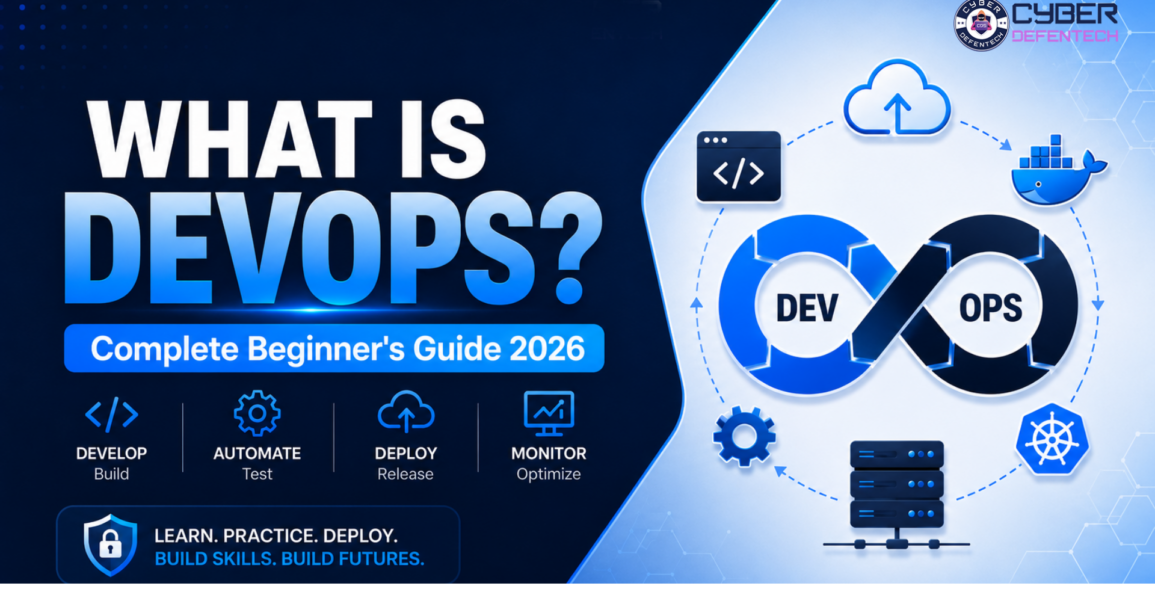
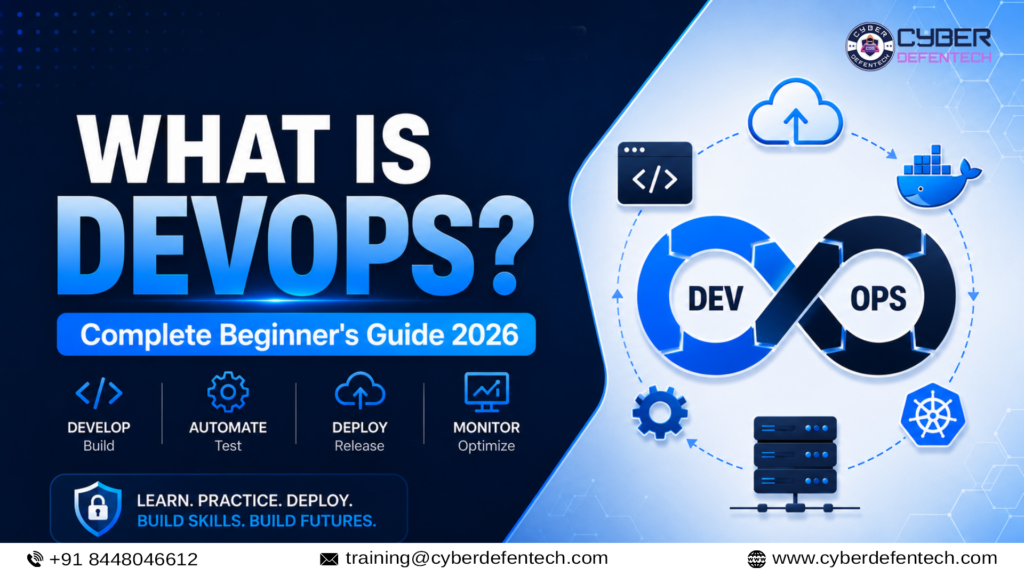
Plan → Develop → Build → Test → Release → Deploy → Operate → Monitor → Improve
1. Planning
The team first identifies what needs to be developed and why.
During planning, stakeholders may discuss:
- Customer requirements.
- Business objectives.
- Required features.
- Technical limitations.
- Security requirements.
- Project priorities.
- Deadlines.
- Team responsibilities.
Large requirements are divided into smaller tasks that can be assigned and tracked.
Planning should also consider operational questions:
- Where will the application be hosted?
- How will it be deployed?
- What resources will it require?
- How will performance be monitored?
- How will the system recover after a failure?
- What security controls are necessary?
Answering these questions early can reduce problems later.
2. Development
Developers write code for new features, improvements and bug fixes.
The code is usually stored in a version-control system such as Git. Version control records changes and allows multiple developers to work on the same project.
Developers may create separate branches for individual features. Before changes are merged into the main application, other team members can review the code.
Code reviews help teams:
- Identify mistakes.
- Maintain coding standards.
- Share technical knowledge.
- Improve code quality.
- Detect possible security issues.
- Understand why changes were introduced.
3. Continuous Integration
Continuous Integration, commonly called CI, is a practice in which developers frequently merge their changes into a shared repository.
When new code is submitted, an automated pipeline may:
- Retrieve the latest code.
- Install required dependencies.
- Build the application.
- Run automated tests.
- Perform quality checks.
- Generate a success or failure report.
Continuous Integration allows teams to identify problems soon after they are introduced.
Without CI, developers may work separately for long periods. When their work is eventually combined, conflicts can become difficult to resolve.
4. Building
During the build stage, source code is converted into a format that can be tested and deployed.
The output may be:
- A compiled program.
- A web application package.
- A mobile application file.
- A software library.
- A cloud deployment package.
- A container image.
Build automation ensures that the same process is followed every time.
The completed package is often called an artefact. It can be stored in a central repository and used across testing, staging and production environments.
5. Testing
Testing verifies whether the application functions correctly and meets quality, performance and security requirements.
Common forms of testing include:
Unit Testing: Checks individual functions or components.
Integration Testing: Confirms that different services and components work together.
Functional Testing: Verifies that features meet business requirements.
Performance Testing: Evaluates speed, capacity and stability.
Security Testing: Identifies vulnerabilities, insecure configurations and dependency risks.
User-Acceptance Testing: Confirms whether the application meets the user’s requirements.
Many tests can be automated and included in a CI/CD pipeline. When an important test fails, the pipeline can stop the release and notify the team.
Manual testing may still be required for usability, accessibility and complex business situations.
6. Release
A release is an approved version of the application that is ready for deployment.
Before releasing software, teams may review:
- Test results.
- Security findings.
- Code-review status.
- Dependencies.
- Configuration changes.
- Deployment instructions.
- Rollback procedures.
The application may first be deployed to a staging environment that closely resembles production.
7. Deployment
Deployment is the process of making an application available in a target environment.
Traditional deployments frequently involved manually copying files and configuring servers. DevOps teams use automation to make deployments more reliable and repeatable.
Common deployment strategies include:
Rolling Deployment
The new application version gradually replaces the previous version.
Blue-Green Deployment
Two similar production environments are maintained. Traffic is moved to the new version after successful testing.
Canary Deployment
The new version is initially released to a small group of users. Its performance is monitored before wider deployment.
Feature Flags
Selected features can be enabled or disabled without releasing an entirely different version of the application.
These approaches help reduce deployment risk.
8. Operations
After deployment, teams must keep the application available, secure and reliable.
Operational responsibilities may include:
- Managing servers and cloud resources.
- Maintaining databases.
- Managing user access.
- Installing system updates.
- Creating backups.
- Renewing certificates.
- Responding to incidents.
- Scaling resources.
- Controlling infrastructure costs.
- Maintaining recovery procedures.
Modern DevOps teams often manage infrastructure through code instead of manually creating each resource.
9. Monitoring and Observability
Teams need visibility into application behaviour after deployment.
Monitoring platforms may collect information such as:
- CPU usage.
- Memory usage.
- Application response time.
- Error rates.
- Network activity.
- Request volume.
- Database performance.
- Service availability.
- Server health.
Logs record events created by applications, servers, databases, operating systems and security tools.
Metrics provide numerical measurements, while traces show how requests move through different application services.
Monitoring tools can generate alerts when a service becomes unavailable or exceeds a defined performance limit.
10. Feedback and Improvement
The DevOps lifecycle does not end after deployment.
Teams collect feedback from:
- Customers.
- Monitoring dashboards.
- Application logs.
- Support teams.
- Security alerts.
- Incident reports.
- Performance results.
- Business data.
This information returns to the planning stage and is used to improve future releases.
What Is CI/CD in DevOps?
CI/CD stands for Continuous Integration and Continuous Delivery or Continuous Deployment.
Continuous Integration
Developers regularly merge code into a shared repository. Automated systems then build and test those changes.
The goal is to detect errors early and keep the application in a working condition.
Continuous Delivery
Changes that pass the required tests are automatically prepared for release.
A person may still approve the final production deployment.
Continuous Deployment
Every change that passes the required automated checks can move directly into production without separate manual approval.
A CI/CD pipeline may include:
- Source-code retrieval.
- Dependency installation.
- Application building.
- Automated testing.
- Security scanning.
- Artefact creation.
- Deployment.
- Verification.
- Notifications.
CI/CD is an important part of DevOps, but the two are not identical.
CI/CD focuses mainly on automating software delivery. DevOps also covers culture, infrastructure, collaboration, security, monitoring and operational responsibility.
Popular DevOps Tools
Different tools are used at different stages of the DevOps lifecycle.
| Tool | Purpose |
|---|---|
| Git | Version control and change tracking |
| GitHub or GitLab | Code storage and collaboration |
| Jenkins | Build, test and deployment automation |
| Docker | Application containerisation |
| Kubernetes | Container orchestration and scaling |
| Ansible | Configuration-management automation |
| Terraform | Infrastructure as Code |
| AWS, Azure or Google Cloud | Cloud infrastructure and services |
| Prometheus | Metrics collection and alerting |
| Grafana | Monitoring dashboards |
| Elastic Stack or Splunk | Log collection and analysis |
| SonarQube or Trivy | Security and quality checks |
Kubernetes is an open-source platform designed to manage containerised workloads and services through declarative configuration and automation.
Beginners do not need to learn every tool at once. It is more important to understand what problem each tool solves and how the tools connect within a complete workflow.
What Is Infrastructure as Code?
Infrastructure as Code, commonly known as IaC, is the practice of creating and managing infrastructure through configuration files.
Instead of manually creating each server or cloud resource, teams define them using code.
Infrastructure as Code can be used to manage:
- Virtual machines.
- Cloud networks.
- Storage.
- Firewalls.
- Load balancers.
- Databases.
- Access permissions.
- Kubernetes clusters.
These configuration files can be stored in Git and reviewed like application code.
Benefits include:
- Repeatable infrastructure.
- Reduced manual errors.
- Easier change tracking.
- Faster environment creation.
- More consistent testing and production systems.
- Easier rollback and recovery.
Terraform is one of the most commonly used Infrastructure as Code tools.
What Is DevSecOps?
DevSecOps integrates security throughout the DevOps lifecycle.
In traditional development models, security testing was often performed shortly before software release. When vulnerabilities were discovered late, releases could be delayed and developers had to reopen completed work.
DevSecOps introduces security earlier.
A DevSecOps workflow may include:
- Secure coding practices.
- Source-code scanning.
- Dependency scanning.
- Secret detection.
- Container-image scanning.
- Infrastructure configuration checks.
- Access-control validation.
- Compliance checks.
- Application security testing.
- Production security monitoring.
DevSecOps does not mean adding one security tool to a pipeline. It means making security a shared and continuous responsibility.
Learners interested in broader security skills can explore the Best Cyber Security Course in Delhi, which covers practical areas such as networking, Linux, ethical hacking, VAPT, SOC operations, cloud security and API security. Cyber Defentech currently presents this training with practical labs, guided tool practice, projects and online and offline learning modes.
DevOps vs Agile
Agile and DevOps are connected, but they are not the same.
Agile focuses mainly on planning and developing software in small, iterative cycles. It encourages regular customer feedback, flexible planning and continuous improvement.
DevOps extends collaboration into testing, deployment, infrastructure, monitoring and production operations.
An Agile team may create a new feature every two weeks. However, without automated testing and deployment, releasing that feature could still be slow.
Agile helps teams build the right product.
DevOps helps them deliver, operate and improve that product reliably.
DevOps vs Site Reliability Engineering
Site Reliability Engineering, or SRE, applies software-engineering practices to infrastructure and operational problems.
Both DevOps and SRE emphasise:
- Automation.
- Monitoring.
- Reliability.
- Shared responsibility.
- Incident learning.
- Continuous improvement.
DevOps is a broad culture and delivery approach.
SRE is a specialised engineering discipline that may use service-level objectives, reliability targets and error budgets.
An organisation may follow DevOps principles while also employing SRE professionals.
Major Benefits of DevOps
Faster Software Delivery
Automated builds, tests and deployments can reduce the time required to deliver software changes.
Better Collaboration
Shared tools and responsibilities reduce communication barriers between development, testing, security and operations teams.
Earlier Error Detection
Continuous testing helps teams identify technical problems before software reaches production.
Consistent Environments
Containers and Infrastructure as Code reduce differences between development, testing and production environments.
Improved Reliability
Automated verification, monitoring and controlled deployment strategies make releases easier to manage.
Faster Recovery
Logs, alerts, metrics and deployment records help teams investigate and resolve incidents.
Better Scalability
Cloud platforms, containers and automation allow teams to adjust resources according to application demand.
Stronger Security
Security checks can be integrated throughout the software lifecycle instead of being performed only before release.
Continuous Learning
Monitoring data, incidents and customer feedback help teams improve both their products and internal processes.
What Does a DevOps Engineer Do?
A DevOps engineer helps design and automate the processes used to build, test, deploy, operate and monitor software.
Responsibilities vary between organisations, but may include:
- Managing Git repositories.
- Creating CI/CD pipelines.
- Automating application builds.
- Running automated tests.
- Managing cloud infrastructure.
- Writing Infrastructure as Code.
- Creating Docker containers.
- Deploying applications through Kubernetes.
- Automating server configurations.
- Managing credentials and access.
- Configuring dashboards and alerts.
- Investigating failed deployments.
- Supporting incident response.
- Improving system reliability.
- Documenting technical processes.
- Coordinating with developers and security teams.
A DevOps engineer may not build complete software applications. However, basic scripting and programming skills are useful because automation is an important part of the role.
Skills Required for a DevOps Career
Linux Fundamentals
Many cloud systems, containers and automation platforms use Linux.
You should learn:
- Files and directories.
- Users and groups.
- Permissions.
- Processes.
- Services.
- Packages.
- System logs.
- Networking commands.
- Shell commands.
Networking
Important networking topics include:
- IP addresses.
- DNS.
- HTTP and HTTPS.
- Ports.
- Firewalls.
- Routing.
- Proxies.
- Load balancers.
- TLS certificates.
Git and Version Control
Learn repositories, commits, branches, merges, pull requests and conflict resolution.
Scripting
Bash and Python are useful for automation, file processing, API interaction and log analysis.
CI/CD
Understand how pipelines build, test, package and deploy applications.
Docker
Learn images, containers, Dockerfiles, registries, volumes, ports and networks.
Kubernetes
After learning Docker, study:
- Clusters.
- Nodes.
- Pods.
- Deployments.
- Services.
- ConfigMaps.
- Secrets.
- Namespaces.
- Scaling.
- Rolling updates.
Cloud Computing
Choose one cloud platform and learn:
- Virtual machines.
- Storage.
- Networking.
- Identity and access management.
- Databases.
- Load balancing.
- Monitoring.
Infrastructure as Code
Learn how Terraform can create and manage infrastructure through reusable configuration files.
Monitoring and Logging
Understand metrics, logs, traces, dashboards and alerts.
Security Fundamentals
Learn least privilege, secrets management, vulnerability scanning, patching and cloud-security basics.
Communication Skills
DevOps professionals work with multiple teams. Clear communication, documentation and problem-solving are essential.
Beginner DevOps Roadmap for 2026
Step 1: Understand DevOps Fundamentals
Learn the purpose of DevOps, its lifecycle, collaboration model, automation and continuous feedback.
Step 2: Learn Linux
Practise file management, permissions, package installation, process monitoring and system logs.
Step 3: Learn Networking
Understand DNS, HTTP, IP addresses, ports, firewalls and load balancers.
Step 4: Learn Git and GitHub
Create repositories, commit files, use branches and submit pull requests.
Step 5: Learn Basic Scripting
Begin with Bash and then learn basic Python.
Create scripts for backups, log analysis or health checks.
Step 6: Build a Simple Application
Use a basic Python, Node.js or Java application that can be built and deployed.
Step 7: Create a CI Pipeline
Connect the project to Jenkins, GitHub Actions or GitLab CI/CD.
Step 8: Learn Docker
Create a Dockerfile, build an image and run the application inside a container.
Step 9: Learn a Cloud Platform
Deploy the application to a cloud virtual machine and configure networking and monitoring.
Step 10: Learn Terraform and Ansible
Use Terraform to create infrastructure and Ansible to configure systems.
Step 11: Learn Kubernetes
Deploy the containerised application to a Kubernetes cluster. Practise scaling and rolling updates.
Step 12: Add Monitoring
Create application or infrastructure dashboards and configure useful alerts.
Step 13: Integrate Security
Add dependency scanning, container scanning, secrets management and access controls.
Step 14: Document the Project
Create a README covering:
- Architecture.
- Tools used.
- Setup instructions.
- Pipeline stages.
- Deployment process.
- Monitoring.
- Troubleshooting.
Step 15: Build a Portfolio
Upload original projects to GitHub and be prepared to explain every tool and decision.
Turn Your Roadmap into Practical Experience
Cyber Defentech’s DevOps learning path focuses on Linux, Git, CI/CD, Docker, Kubernetes, cloud infrastructure, automation, monitoring, DevSecOps, projects and interview preparation.
Beginner DevOps Project Ideas
1. Automated Website Deployment
Store a website in GitHub and configure a pipeline that deploys approved changes automatically.
2. Dockerised Application
Package a basic application and its dependencies into a Docker image.
3. Cloud Infrastructure with Terraform
Create a virtual machine, cloud network and security rules using Infrastructure as Code.
4. Server Configuration with Ansible
Use an Ansible playbook to install and configure a web server automatically.
5. Kubernetes Application Deployment
Deploy a containerised application and configure scaling and rolling updates.
6. Monitoring Dashboard
Collect application or server metrics and create a visual dashboard.
7. DevSecOps Pipeline
Add source-code analysis, dependency checks and container scanning to a CI/CD pipeline.
A small but complete project is usually more useful than listing many tools without practical experience.
How Are DevOps and Cybersecurity Connected?
DevOps teams manage code repositories, cloud infrastructure, deployment pipelines, credentials, containers and production systems.
Each of these areas can introduce security risks.
For example:
- Exposed credentials may provide unauthorised access.
- Vulnerable container images may introduce security weaknesses.
- Incorrect cloud permissions may expose data.
- Unprotected pipelines may allow malicious code changes.
- Insecure Infrastructure as Code may create risky configurations.
This is why DevSecOps and cloud security are becoming important parts of modern DevOps training.
Learners who are interested in security monitoring and defensive operations can also explore the Certified SOC Analyst Course in Delhi.
Cyber Defentech currently presents its SOC Analyst program as a 50-hour course covering SIEM, log analysis, threat detection, alert triage, threat intelligence and incident response through online and offline modes.
A DevOps professional may focus on delivering and operating applications, while a SOC analyst monitors environments for suspicious activity. Understanding both areas can be valuable for learners interested in DevSecOps, cloud security or security automation.
Is DevOps a Good Career in 2026?
DevOps remains important because modern software delivery depends on cloud infrastructure, automation, continuous testing, monitoring, containers and reliable deployment processes.
The field is also changing due to artificial intelligence.
AI-assisted tools can support coding, testing, documentation, troubleshooting and incident analysis. However, organisations still need professionals who understand systems, cloud infrastructure, deployment workflows, security and automation.
Potential career roles include:
- Junior DevOps Engineer.
- DevOps Engineer.
- Cloud Engineer.
- CI/CD Engineer.
- Build and Release Engineer.
- Infrastructure Automation Engineer.
- Platform Engineer.
- Site Reliability Engineer.
- DevSecOps Engineer.
- Cloud Operations Engineer.
- Kubernetes Administrator.
Job titles and responsibilities vary between organisations. Practical ability, original projects and troubleshooting skills are more valuable than simply memorising tool definitions.
Can Freshers Learn DevOps?
Yes. Freshers can learn DevOps by following a structured roadmap.
Trying to learn Linux, Python, Jenkins, Docker, Kubernetes, Terraform and multiple cloud platforms at the same time can become overwhelming.
A better sequence is:
- Linux
- Networking
- Git
- Scripting
- CI/CD
- Docker
- Cloud computing
- Terraform and Ansible
- Kubernetes
- Monitoring and security
Students from BCA, B.Tech, BSc IT, computer science and engineering backgrounds can learn DevOps.
Candidates from non-technical backgrounds can also begin, but they may need additional time to understand operating systems, networking and scripting.
A formal degree is helpful, but practical projects and troubleshooting skills are essential.
Common DevOps Misconceptions
DevOps Is a Single Tool
DevOps is not Jenkins, Docker, Kubernetes or AWS.
Tools support DevOps practices, but culture, communication and shared ownership are equally important.
DevOps Is Only Automation
Automation is important, but automating a weak process does not automatically create effective DevOps.
DevOps Removes Operations Teams
DevOps does not eliminate operations. It improves how development and operational responsibilities are integrated.
Advanced Coding Is Compulsory
Basic coding and scripting are useful, but every DevOps position does not require advanced application-development skills.
Kubernetes Is Required for Every Project
Kubernetes is valuable for managing containerised workloads, but smaller applications may not require it.
Fast Releases Mean Low Quality
DevOps aims to deliver smaller changes with automated testing, controlled deployment and monitoring. Speed should not replace reliability or security.
Why Learn DevOps with Cyber Defentech?
Learning through random tutorials may introduce individual tools, but beginners often struggle to understand how those tools work together.
A structured program should connect the complete workflow:
Code → Build → Test → Package → Deploy → Monitor → Secure → Improve
Cyber Defentech’s DevOps training content focuses on practical and career-oriented learning, including:
- Linux and networking fundamentals.
- Git and GitHub.
- CI/CD pipelines.
- Jenkins.
- Docker.
- Kubernetes.
- Terraform.
- Ansible.
- AWS and cloud concepts.
- Monitoring and troubleshooting.
- DevSecOps fundamentals.
- Practical assignments and projects.
- Resume and interview preparation.
- Online and offline learning options.
The program can be useful for:
- Students and freshers.
- Software-development learners.
- System administrators.
- Cloud-computing learners.
- IT support professionals.
- Cybersecurity learners.
- Working professionals.
- Career switchers.
Candidates should confirm the latest syllabus, batch schedule, training duration, fees and included support before admission.
Frequently Asked Questions
1. What is DevOps in simple words?
DevOps is a way of working in which development and operations teams collaborate to build, test, deploy and maintain software.
2. Is DevOps a programming language?
No. DevOps is a combination of culture, processes, practices and tools.
3. Is coding required for DevOps?
Basic scripting knowledge is recommended. Bash and Python are commonly useful for automation.
4. Can beginners learn DevOps?
Yes. Beginners should start with Linux, networking, Git and scripting before progressing to CI/CD, Docker and cloud technologies.
5. Which DevOps tool should I learn first?
After learning Linux fundamentals, begin with Git. Then move to CI/CD, Docker, cloud platforms, Terraform, monitoring and Kubernetes.
6. Is Docker the same as DevOps?
No. Docker is a container platform used within many DevOps workflows.
7. Is Kubernetes compulsory for DevOps?
Not for every project or entry-level role, but Kubernetes is important in many modern container-based environments.
8. What is the difference between DevOps and DevSecOps?
DevOps focuses on collaboration, automation and software delivery. DevSecOps integrates security throughout the same lifecycle.
9. Is DevOps useful for cybersecurity students?
Yes. DevOps knowledge is useful for cloud security, infrastructure security, application security and security automation.
10. How long does it take to learn DevOps?
The time depends on your existing knowledge and practice schedule. Fundamentals may be learned within a few months, but job readiness requires practical projects and consistent troubleshooting.
11. Is DevOps still relevant with AI?
Yes. AI may assist with automation and analysis, but organisations still require professionals who understand infrastructure, security, deployment and operational reliability.
12. Does Cyber Defentech provide online and offline training?
Cyber Defentech’s current DevOps and cybersecurity pages mention instructor-led learning options and practical training through online and offline modes. Candidates should contact the institute for the latest batch details.
Conclusion
DevOps is a collaborative approach that connects software development with IT operations.
It helps teams plan, build, test, release, deploy, operate and monitor software through a continuous and increasingly automated workflow.
DevOps combines:
- Collaboration.
- Automation.
- CI/CD.
- Cloud computing.
- Containers.
- Infrastructure as Code.
- Monitoring.
- Security.
- Continuous feedback.
For beginners, the number of tools may initially appear overwhelming. The best approach is to learn step by step.
Start with Linux, networking, Git and basic scripting. Then progress to CI/CD, Docker, cloud platforms, Terraform, Ansible, Kubernetes, monitoring and DevSecOps.
Practise every concept through original projects. Document your work and develop the ability to explain how each component fits into the complete software-delivery process.
In 2026, DevOps continues to connect software engineering with cloud computing, cybersecurity, platform engineering, automation and AI-assisted operations.
Start Your DevOps Journey with Cyber Defentech
Build practical skills in Linux, Git, Jenkins, CI/CD, Docker, Kubernetes, Terraform, Ansible, AWS, monitoring and DevSecOps through structured, instructor-led training.
Cyber Defentech’s career-focused learning approach includes practical exercises, lab activities, guided projects, resume support and interview preparation.
Explore the Right Learning Path
- Best DevOps Training Institute in Delhi
- Certified SOC Analyst Course in Delhi
- Best Cyber Security Course in Delhi
Training Modes: Online and Offline
Location: Rohini, Delhi NCR
📞 Call/WhatsApp: +91 8448046612
Instagram: @cyberdefentech
Contact Cyber Defentech to check the latest syllabus, course duration, batch schedule, fees and demo-class availability.
