

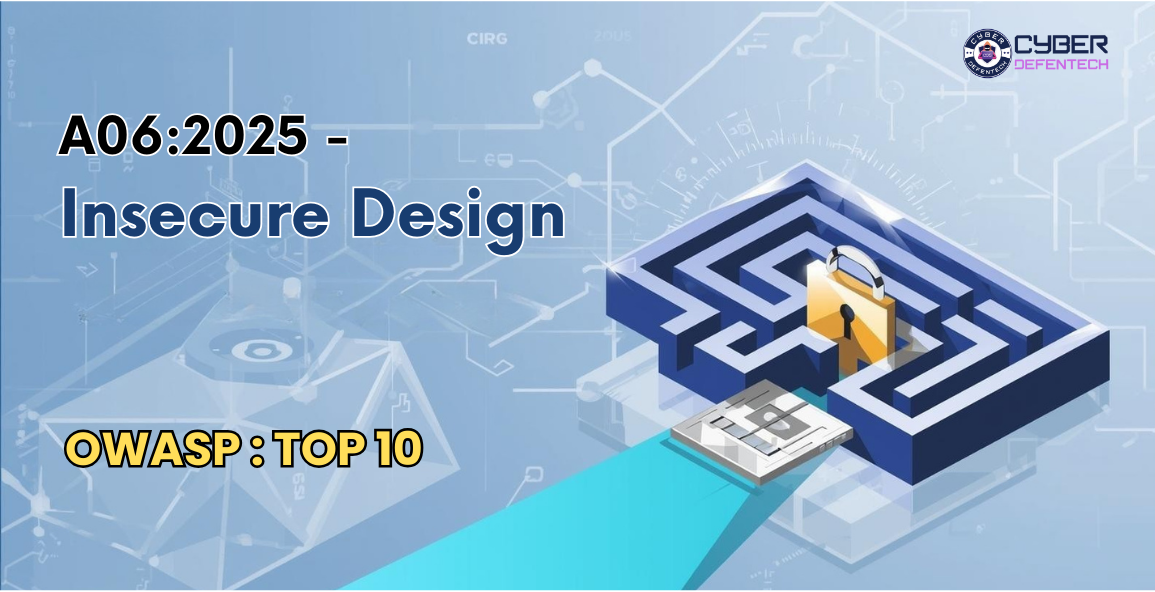
OWASP A06:2025 – Insecure Design refers to security weaknesses that arise not from coding mistakes, but from flawed system architecture, poor planning, or missing security controls. It highlights gaps in the overall design of an application—such as lack of authentication flows, weak access control structure, or no threat modeling—which attackers can exploit even if the code itself is written correctly. Insecure Design focuses on the importance of building security into the blueprint of the application, not just fixing issues after development.
Insecure Design has moved down in the list, dropping from the #4 position to #6, mainly because A02:2025-Security Misconfiguration and A03:2025-Software Supply Chain Failures have moved ahead of it. This category first appeared in 2021, and since then, the industry has shown clear progress in areas such as threat modeling and stronger attention toward secure system design. Insecure Design highlights risk that comes from weak architectural decisions and poorly planned system structures. It encourages organizations to adopt threat modeling; use established secure design patterns and rely on trusted reference architectures.
This also includes weaknesses in an application’s business logic, for example, failing to identify and define what kinds of unexpected or unwanted state changes should be blocked. As a security community, we must advance beyond the traditional “shift-left” mindset focused only on code and instead give proper importance to the early stages of development such as writing requirements and designing the application. These steps are essential for building systems that follow Secure-by-Design principles (refer to Establish a Modern AppSec Program: Planning and Design Phase).
What is Insecure Design?
Insecure Design means the application or system is built in a weak way from the beginning. The fundamental blueprint or planning of the system is flawed, so even if the code is clean, the system is still unsafe.
Think of it like building a house:
- If the foundation is weak, even if walls and paint look perfect, the house can still collapse.
- Same in software — if the architecture, workflow, or rules are insecure, the whole system becomes vulnerable.
So, Insecure Design = Bad security decisions made during planning, designing, or structuring the system.
It’s not about coding mistakes; it’s about design mistakes.
Why does Insecure Design happen?
It happens due to bad planning, such as:
- Not thinking about safety early.
- No threat modeling.
- No secure design patterns.
- Features are made for convenience, not security.
- Weak or missing validation rules.
- Allowing dangerous workflows.
How to understand it in simple English?
Insecure Design means: “The system is designed in a way that attackers can easily misuse, bypass, or break it.”
Example: A banking app that allows unlimited login attempts — this is a design flaw, not a coding bug.
Key Characteristics of Insecure Design :
Here are the signs of insecure design explained simply:
- No security thinking during planning : Developers think only about functionality, not security.
- Weak or missing access control : The design does not restrict what users can do.
- Unsafe workflows : The sequence of steps allows attackers to exploit the system.
- No validation rules defined : What is allowed and what is not allowed is not clearly decided in design.
- Features created without considering abuse : Developers think “How will users use this?” but never think “How can attackers misuse this?”
- Missing or weak architecture : System structure itself is risky (ex: open APIs with no restrictions).
What does NOT count as Insecure Design?
Insecure Design is not about coding errors like SQL injection or buffer overflow. Those are implementation bugs.
Insecure Design = The system was built with bad security decisions.
Real-Life Simple Examples of Insecure Design
✔ Example 1: Unlimited Login Attempts : If the app doesn’t block or slow down login attempts, attackers can brute force the password. This is a design flaw.
✔ Example 2: Password Reset Without Proper Verification : If a website lets you reset your password by entering only your email, without any OTP or verification — that’s insecure design.
✔ Example 3: Online Shopping Cart Manipulation : If price calculations happen only on the client-side (browser), attackers can change the price before checkout. Design mistake: trusting the client too much.
✔ Example 4: API Without Rate Limiting : If you can call an API thousands of times per second, attackers can overload or misuse it. Design flaw: No rate limit plan.
✔ Example 5: Business Logic Flaws : If the system allows someone to skip steps (like skipping payment but still placing order), that is insecure design.
How to Prevent Insecure Design?
Here’s how professionals avoid insecure design:
✔ Secure-by-Design approach : Security is built in from day one.
✔ Threat Modeling : Before building, think like an attacker:
- What can go wrong?
- Who can attack?
- What will break?
✔ Use Security Patterns : Reuse trusted design patterns (Zero Trust, RBAC, etc).
✔ Strong validation rules : Define what is allowed and what is not allowed.
✔ Defense in Depth : Multiple layers of protection.
✔ Secure Development Lifecycle : Include security reviews at every step.
Insecure Design – Example Attack Scenarios
Scenario 1: Unlimited Login Attempts (Brute Force Attack)
Design Flaw: The application does not implement rate limiting, lockout, or CAPTCHA.
Attack: An attacker uses an automated tool to try thousands of passwords per second on a user’s account.
Impact:
- Account takeover
- Unauthorized access
- Credential stuffing success
Scenario 2: Password Reset Without Identity Verification
Design Flaw: Password reset workflow only asks for email — no OTP, no security question, no verification.
Attack: Attacker enters the victim’s email + intercepts reset link using email compromise or phishing.
Impact:
- Full account access
- Attack spreads to bank, email, or social apps
Scenario 3: Business Logic Bypass in E-Commerce
Design Flaw: The shopping cart calculations happen only on the client side (browser) and not validated on the server.
Attack: Attacker edits the price using browser developer tools and changes ₹9999 → ₹1.
Impact:
- Financial loss
- Product shipped at wrong price
Scenario 4: No Authorization Check on Sensitive Actions
Design Flaw: Once a user is logged in, the system doesn’t check if they should access specific resources.
Attack: A normal user manually changes a URL from:
/user/profile?id=101
to
/admin/settings
Impact:
- Unauthorized access
- Critical data exposure
- Admin feature misuse
Scenario 5: Unrestricted File Upload (No Validation)
Design Flaw: File upload feature allows any file type without scanning or filtering.
Attack: Attacker uploads a malicious .php, .jsp, or .exe file as an image.
Impact:
- Remote Code Execution
- Server takeover
- Complete system compromise
Scenario 6: API Without Rate Limiting
Design Flaw: Public API allows unlimited requests.
Attack: Attacker floods the API with millions of requests.
Impact:
- DoS attack
- Service becomes unavailable
- Business disruption
Scenario 7: Privilege Escalation Due to Poor Role Design
Design Flaw: Roles are not properly separated (e.g., user, manager, admin all have overlapping permissions).
Attack: A normal user finds a hidden function that the system didn’t restrict properly.
Impact:
- User becomes admin
- Unauthorized data access
- Critical settings changed
Scenario 8: Trust Boundary Violation
Design Flaw: System trusts external data (like API input or user input) without validation.
Attack: Attacker sends manipulated data across trust boundaries (app → API → database).
Impact:
- Application misbehavior
- Data corruption
- Logical flaws abused
Conclusion
Insecure Design remains a major security concern because even perfectly written code cannot fix flaws that start at the architecture and planning level. When security is not considered early—during requirements, workflows, and system structure—the entire application becomes vulnerable to business logic abuse, brute-force attacks, privilege escalation, and unsafe workflows.
The only long-term solution is adopting a Secure-by-Design mindset: threat modeling, strong validation rules, proper access control structures, and well-defined secure design patterns. As applications grow more complex, teams must prioritize security from day one, not after deployment. Strong design today prevents costly breaches tomorrow.
Stay informed and stay secure — follow Cyber Defentech for more cybersecurity insights and updates.
